News Box
WELCOME TO MLNO!!! ... ENJOY YOUR TIME HERE! ... WHILE YOU ARE HERE, CHECK OUT OUR RPGS!
My LEGO Nexus Organization
February 01, 2026, 01:16:46 am
Welcome, Guest. Please login or register.

Login with username, password and session length
News: Welcome to My Lego Nexus Organization! A LEGO Universe, LEGO and My LEGO Network Fan Site! The LEGO Company does not sponsor, authorize, or endorse this site.-- New? Check out the welcome forum and get started! Got questions? PM Blade, or one of the other active members of the staff.
 
  Home   Forum   Help Arcade Gallery Rules Staff List Login Register Chat  

I NEED TIPS ON MAKING BANNERS

Pages: [1]   Go Down
  Print  
Author Topic: I NEED TIPS ON MAKING BANNERS  (Read 443 times)
0 Members and 6 Guests are viewing this topic.
Jas765
Raven Shredder
Craftsman
****

MLNO Reputation 0
Offline Offline

Gender: Male
Purpose: purples
Posts: 1530


WWW
Badges: (View All)
Seventh Year Anniversary Sixth Year Anniversary Fifth Year Anniversary
« on: January 20, 2009, 12:27:54 am »

I don't exactly know how to on Paint shop, but here's how you do it on photoshop; I assume it's the same.

Step 1:
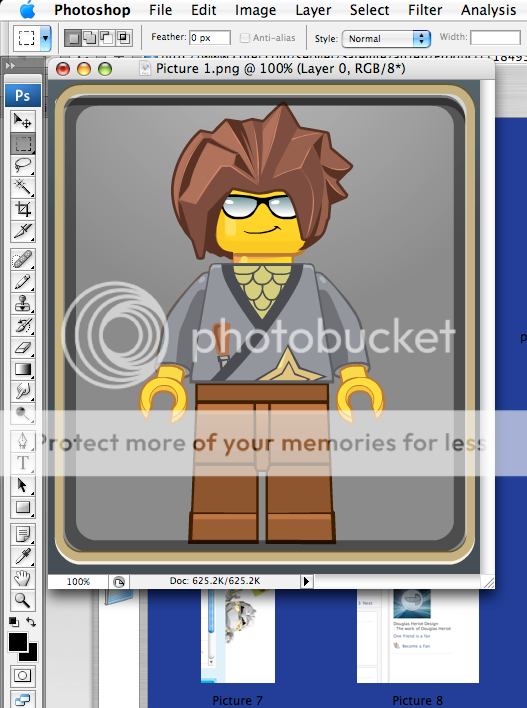

Get a picture you want to split the background from.

Step 2:
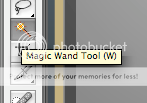

Select the wand tool

3:
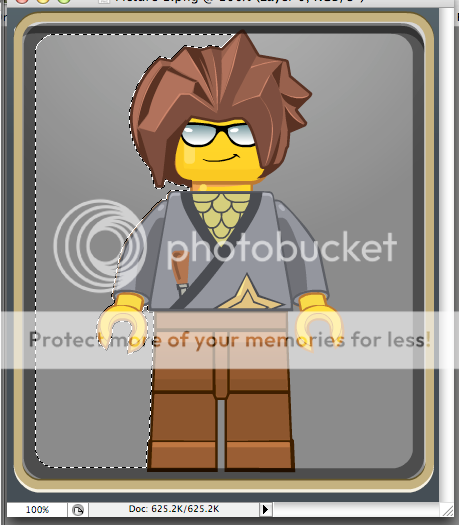
Select an area that you want to be removed.

4:
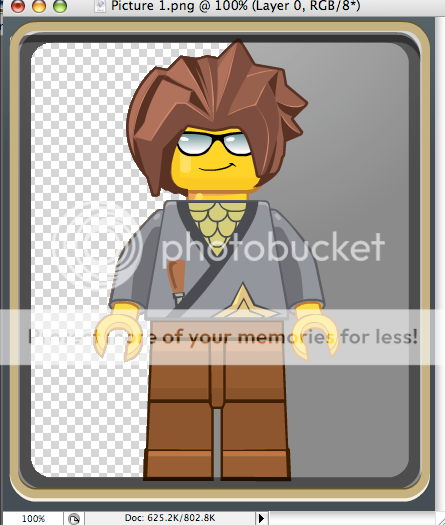
Press 'delete' to get rid of that area. (Note - the checks mean a transparent area)

5:
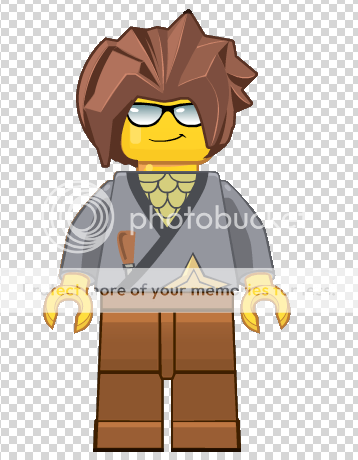
Repeat until done.

6:
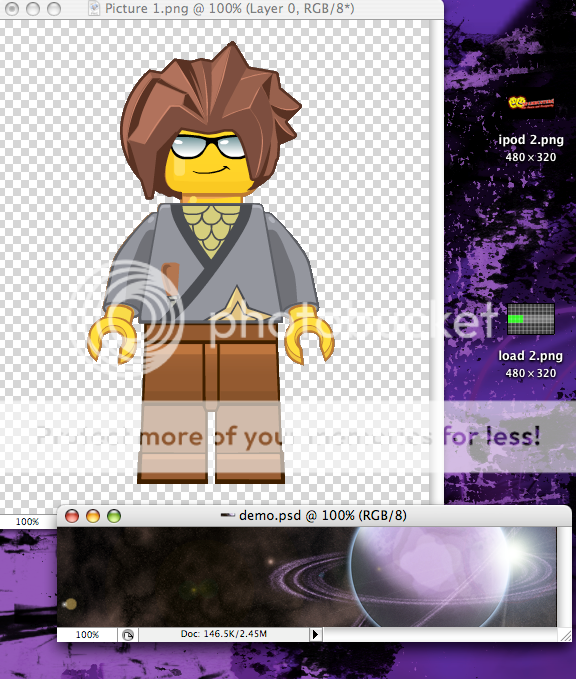
Make a background for the sig (It doesn't have to be made by you, though)

7:
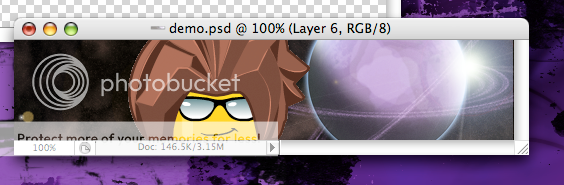
Drag or copy/paste minifig onto the sig.

8:
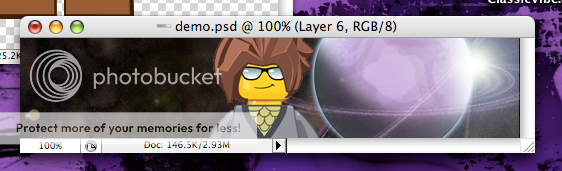
Notice how your minifig is a bit big? resize it so it fits.

9:
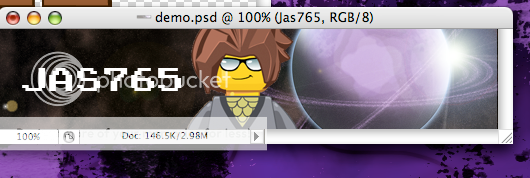
Add words.

---

Is that what you wanted?

You choose how to repay me, as it is free.
Report Spam   Logged

siggity dig
Pages: [1]   Go Up
  Print  
 
Jump to:  

LEGO® is a trademark of the LEGO Group, which does not sponsor, authorize or endorse this site.
Bookmark this site! | Upgrade This Forum
SMF For Free - Create your own Forum

Powered by SMF | SMF © 2016, Simple Machines
Privacy Policy
Page created in 0.035 seconds with 14 queries.