News Box
WELCOME TO MLNO!!! ... ENJOY YOUR TIME HERE! ... WHILE YOU ARE HERE, CHECK OUT OUR RPGS!
My LEGO Nexus Organization
January 31, 2026, 03:06:04 pm
Welcome, Guest. Please login or register.

Login with username, password and session length
News: Guests: Please register and look around! Tell your friends. Registration is instant, but you'll have to wait for an active admin to get online to approve your account, which should take less than 24 hours.  If you do not receive your approval email, just try to login. We are having issues with the automated email system.
 
  Home   Forum   Help Arcade Gallery Rules Staff List Login Register Chat  

I need a Guide to make good avatars and sigs.

Pages: [1]   Go Down
  Print  
Author Topic: I need a Guide to make good avatars and sigs.  (Read 246 times)
0 Members and 14 Guests are viewing this topic.
spacedinodig611
Apprentice
*

MLNO Reputation 0
Offline Offline

Gender: Male
Posts: 12

S'up


Badges: (View All)
Combination Topic Starter Level 2
« on: May 03, 2009, 01:16:22 pm »

Hi Graphic Master Jas,

I'm impressed about the graphics you produce for sigs and avatars. So I
wonder If you could give me a guide for editing my minifig and getting effects
like CRX did on his Avatar. If you can give me a guide, I can repay you with 1 CSU.


Report Spam   Logged

Jas765
Raven Shredder
Craftsman
****

MLNO Reputation 0
Offline Offline

Gender: Male
Purpose: purples
Posts: 1530


WWW
Badges: (View All)
Seventh Year Anniversary Sixth Year Anniversary Fifth Year Anniversary
« Reply #1 on: May 22, 2009, 02:05:06 am »

*sigh*
Once again I had one of those dunkoph moments where I missed all these topics.
To make designs like mine, I just use the photoshop brush tools, to make some paint splash-like effects.
If you want to make planets or explosions or things like that, I suggest finding tutorials on the internet.
But, I use photoshop. I don't know if you do, so using google could be helpful for tutorials.
But, here's how to split an avatar from it's background:

Step 1:
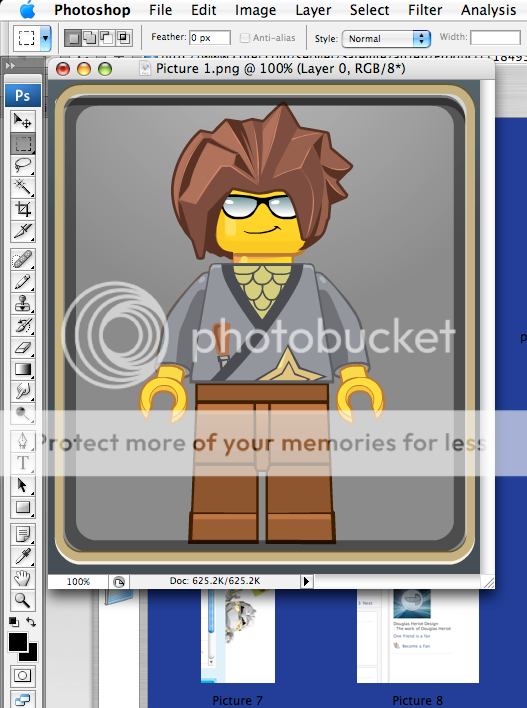

Get a picture you want to split the background from.

Step 2:
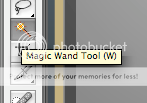

Select the wand tool

3:
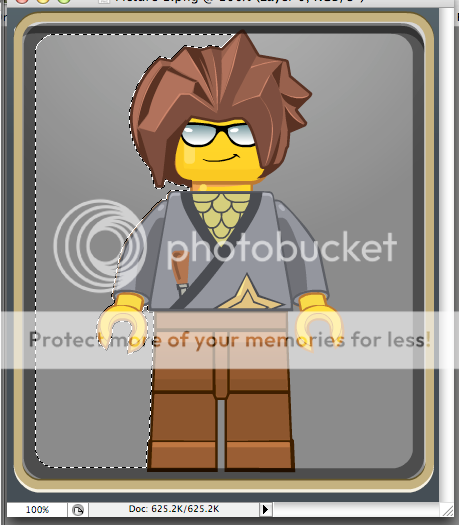
Select an area that you want to be removed.

4:
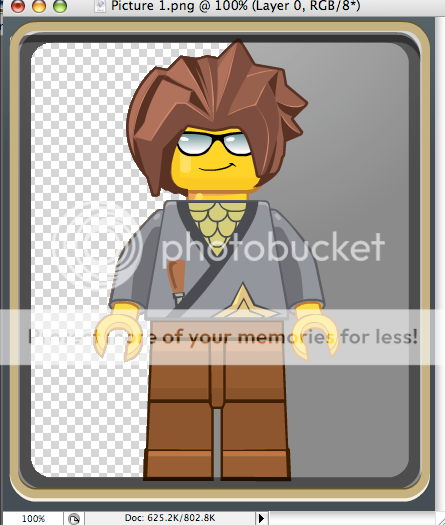
Press 'delete' to get rid of that area. (Note - the checks mean a transparent area)

5:
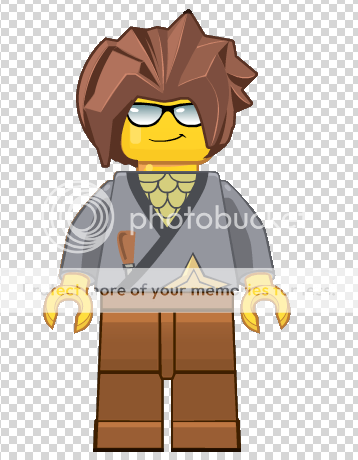
Repeat until done.
Report Spam   Logged

siggity dig
spacedinodig611
Apprentice
*

MLNO Reputation 0
Offline Offline

Gender: Male
Posts: 12

S'up


Badges: (View All)
Combination Topic Starter Level 2
« Reply #2 on: May 23, 2009, 12:39:36 pm »

Ok. Thanks  Grin. Sending FR.
Report Spam   Logged

spacedinodig611
Apprentice
*

MLNO Reputation 0
Offline Offline

Gender: Male
Posts: 12

S'up


Badges: (View All)
Combination Topic Starter Level 2
« Reply #3 on: June 14, 2009, 04:02:42 am »

Actually, I want a cave background with my avatar holding a hammer making nebular crystals.
Report Spam   Logged

Pages: [1]   Go Up
  Print  
 
Jump to:  

LEGO® is a trademark of the LEGO Group, which does not sponsor, authorize or endorse this site.
Bookmark this site! | Upgrade This Forum
SMF For Free - Create your own Forum

Powered by SMF | SMF © 2016, Simple Machines
Privacy Policy
Page created in 0.059 seconds with 14 queries.